
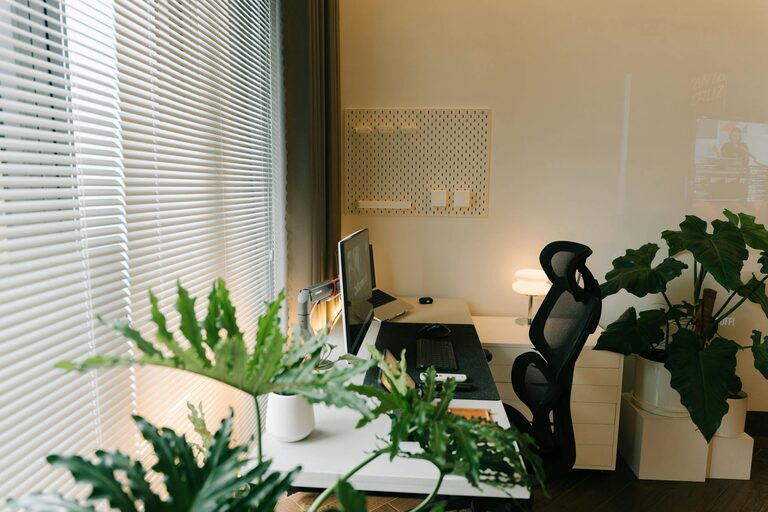
Creating a comfortable and productive home office space is essential for anyone working from home or tackling projects remotely. A well-designed workspace can boost your focus, reduce stress, and make your workday more enjoyable. In this post, we’ll share useful tips to help you set up a home office that meets your needs and enhances your workflow.
Choose the Right Location
Selecting the best spot for your home office is the first and most important step.
– Quiet and Private: Pick a space that minimizes distractions. A quiet corner away from household noise improves concentration.
– Natural Light: Position your desk near a window if possible. Natural light improves mood and reduces eye strain.
– Space Availability: Ensure there is enough room for your desk, chair, and any storage or equipment you need.
Invest in Ergonomic Furniture
Comfort is key to maintaining productivity throughout the day.
– Ergonomic Chair: Choose a chair with adjustable height, lumbar support, and armrests.
– Desk Height: Your desk should allow your elbows to rest at about a 90-degree angle when typing.
– Monitor Placement: Position your screen at eye level to prevent neck strain.
Organize Your Workspace
A tidy space helps clear your mind and saves time.
– Declutter Regularly: Keep only essential items on your desk.
– Storage Solutions: Use shelves, drawers, or filing cabinets to organize supplies and documents.
– Cable Management: Use clips or sleeves to arrange cords neatly and avoid tangles.
Personalize Your Environment
Adding personal touches can make your office more inviting and motivating.
– Decorate: Include plants, artwork, or photos that inspire you.
– Comfort Items: A small cushion, a cozy blanket, or your favorite mug can make your space feel welcoming.
– Scent and Sound: Consider using essential oils or a gentle playlist to enhance your mood.
Establish Good Lighting
Proper lighting reduces eye strain and keeps you alert.
– Layered Lighting: Combine ambient, task, and accent lighting. A desk lamp is helpful for focused work.
– Adjustable Lighting: Use dimmable lights or shades to control brightness depending on the time of day.
Set Boundaries and Routine
Clear boundaries help balance work and personal life.
– Designate Office Hours: Try to stick to specific work times and avoid working outside those hours.
– Use a Door or Divider: If possible, separate your office from living spaces to create a mental boundary.
– Take Breaks: Incorporate short breaks to stretch, hydrate, or relax, boosting long-term concentration.
Use Technology Wisely
Technology can streamline your work if set up correctly.
– Reliable Internet: Ensure your internet connection is fast and stable.
– Essential Devices: Equip your office with tools like a printer, headphones, or an extra monitor if needed.
– Productivity Apps: Explore scheduling, note-taking, or task management apps to stay organized.
Keep It Flexible
Your needs might change, so make your space adaptable.
– Modular Furniture: Furniture that’s easy to move or reconfigure can refresh your workspace.
– Dual-Purpose Space: If you share the room, consider foldable desks or multi-use furniture.
– Regular Updates: Reassess and update your setup periodically to optimize comfort and efficiency.
Final Thoughts
A comfortable and productive home office combines good design, organization, and personal touches. Investing time in creating the right space benefits your well-being and work quality. Start small, and adjust as you discover what works best for you. Happy working!