
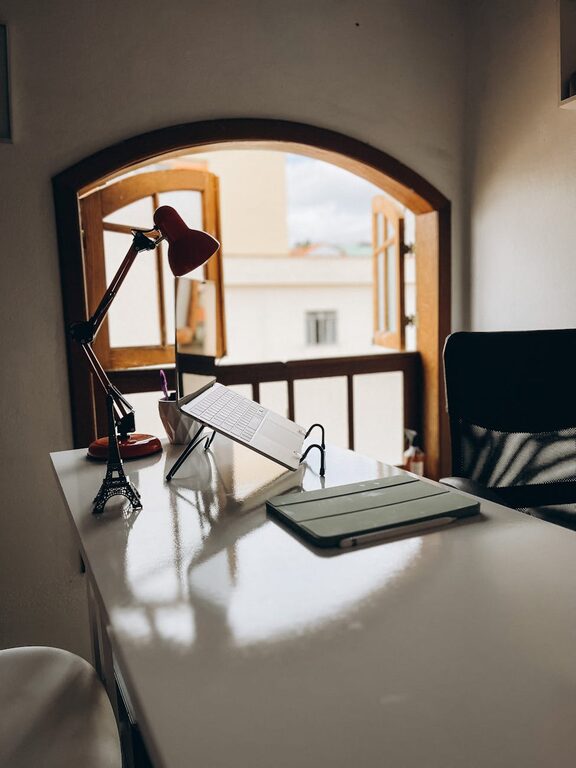
Creating a cozy and productive home office space is essential in today’s world, where many people work remotely or spend significant time on personal projects at home. A well-designed workspace not only boosts your efficiency but also improves your mood and overall well-being. Whether you have a dedicated room or a small corner in your living area, these tips will help you create an inviting and functional home office.
Choose the Right Location
The first step to a comfortable office is deciding where to set it up. Ideally, pick a quiet spot with minimal distractions. Natural light is a bonus—it helps reduce eye strain and enhances your mood.
– Near a window to benefit from sunlight
– Away from household traffic areas
– Space with enough room for your desk and chair
Invest in Ergonomic Furniture
Comfort is key when you’re spending hours working. Choose furniture that supports good posture and reduces physical strain.
– A chair with adjustable height and lumbar support
– A desk at the right height to allow your arms to rest comfortably
– Consider a standing desk or an adjustable sit-stand option for flexibility
Optimize Your Lighting
Good lighting can make a big difference in productivity and comfort. Aim for a combination of ambient, task, and natural light.
– Use a desk lamp with adjustable brightness
– Avoid harsh overhead lights that create glare
– Position your screen to reduce reflections from windows and lamps
Keep Your Workspace Organized
Clutter can cause stress and distractions. An organized workspace promotes focus and efficiency.
– Use storage solutions like shelves, drawers, and file organizers
– Keep only essential items on your desk
– Regularly declutter and tidy your space
Add Personal and Cozy Touches
Make your office inviting by adding items that make you feel comfortable and motivated.
– Soft textiles like cushions or a cozy throw blanket
– Plants to add freshness and improve air quality
– Inspirational artwork or photos that encourage positivity
Create Clear Boundaries
Separate your work life from your personal life by creating boundaries within your home office setup.
– Use a room divider or screen if your workspace is part of a larger room
– Establish specific work hours to avoid burnout
– Communicate your workspace rules to family or roommates
Use Technology to Your Advantage
Equip your office with the right technology to streamline your work processes.
– Reliable high-speed internet connection
– Quality headphones for calls and concentration
– Multiple monitors for multitasking if needed
Manage Cable Clutter
Tangled cables can be distracting and hazardous. Keeping cables neat improves both safety and appearance.
– Use cable organizers, clips, or sleeves
– Consider wireless devices when possible
– Label cables to easily identify them
Incorporate Break Areas
If space allows, have an area nearby to take short breaks, helping you recharge and maintain productivity.
– A comfortable chair or small sofa
– A spot for stretching or light exercises
– Keep this space free of work materials
Maintain a Comfortable Temperature and Air Quality
Your comfort also depends on the room’s temperature and freshness.
– Use a fan or heater as needed to control temperature
– Open windows regularly or use an air purifier
– Avoid strong scents that could be distracting
Final Thoughts
Designing a home office that is both cozy and productive is about balance. Prioritize comfort, organization, and good lighting while adding personal touches to create a space where you enjoy spending time. With a thoughtful setup, your home workspace can become a place that supports your work and well-being every day.